AI that supports you in everyday tasks —
Integrate it in just minutes
A system of assistants to support your office tasks. They can work on demand or deliver full 24/7 automation.
What can we help with?
Here are some examples of tasks you can delegate to your AI assistants.
Finding offers tailored to your clients.
Automate gathering offers from various sources, then — when a client inquiry arrives — the assistant prepares a comparison of the best options on its own.
Preparing Excel files with up-to-date data from online sources
Get daily morning updates on current prices, exchange rates, or product availability. The assistant gathers data from multiple sources and prepares a ready-made report, so you start your day fully informed.
Social media content generator.
Create an assistant that turns your topics and keywords into ready-to-publish content or full widgets for social media. Teach it your preferences, share your logos and graphics, and it handles the rest.
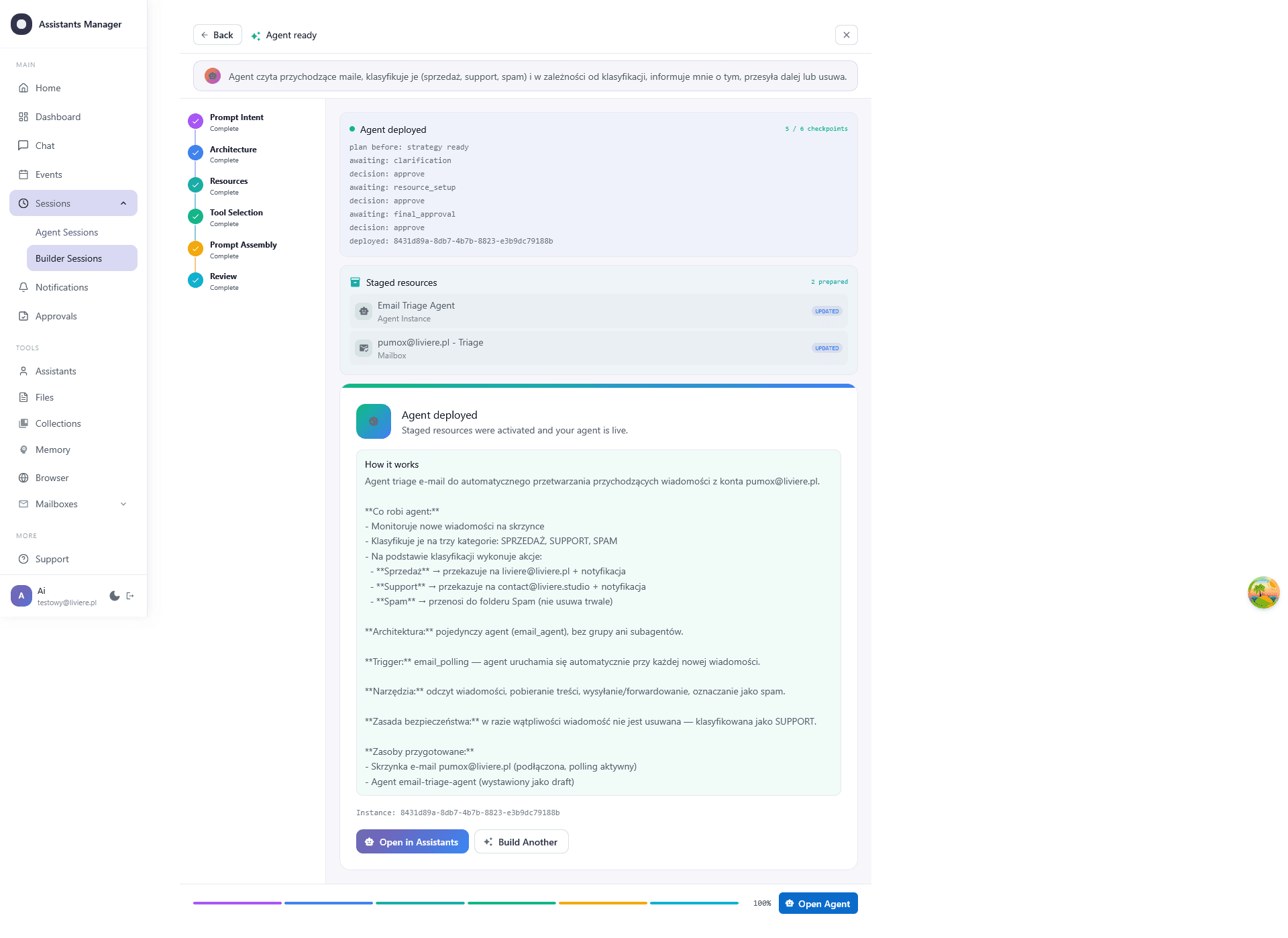
Create assistants through conversation. No configuration.
The built-in AI Builder guides you through configuration: gathering requirements, architecture, integrations, tools, and the prompt. You don't need to understand technical concepts like prompts, skills, or other AI topics. You describe what you need in plain words, and the AI Builder takes care of the rest, creating a system of assistants perfectly tailored to your needs.
One system. Endless possibilities.
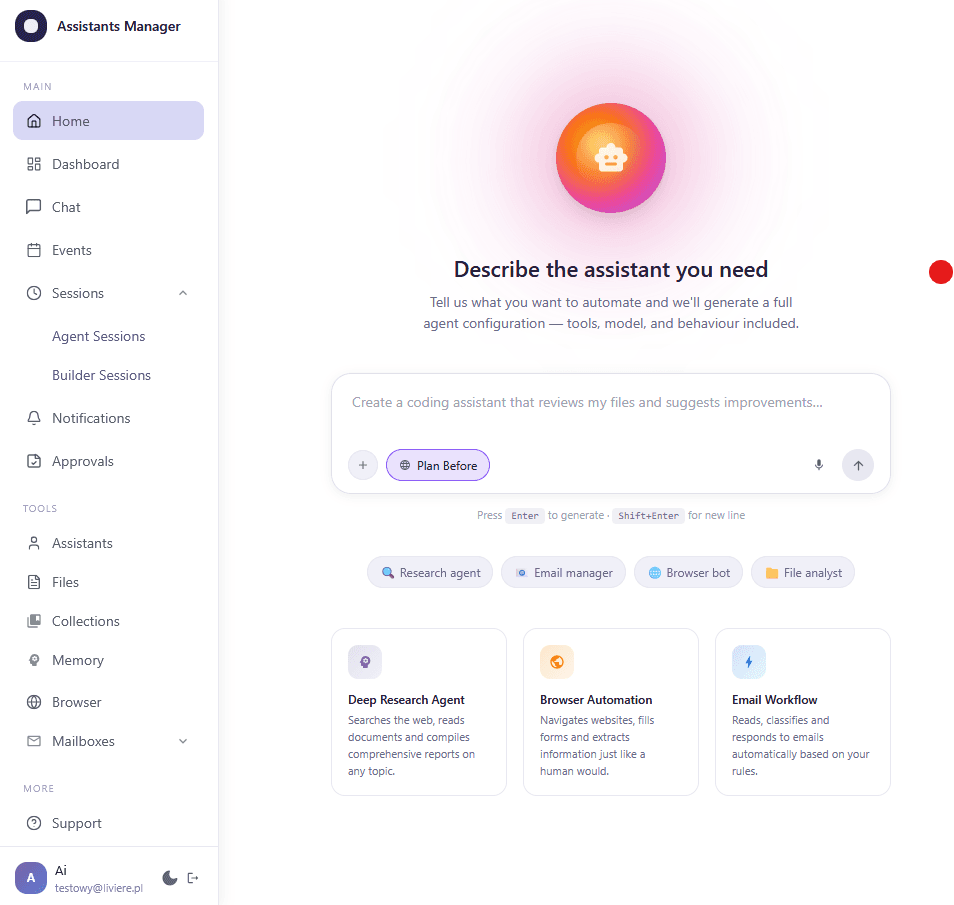
Everything an assistant needs to work with your data, gathered in a single interface. Forget about switching tabs.
Persistent memory
The assistant learns from every conversation or action. It gets to know your preferences, interaction history, and ways of working. It learns from its own mistakes, becoming ever more effective and aligned with your style. At the same time, you stay in control of what it remembers — you can delete selected memories at any time or reset its knowledge entirely.
Email integration
Support for Gmail, Outlook, and IMAP. Analyzing content, sorting, and automatically managing your inbox.
Browser automation
Desktop mode with isolated profiles, or server mode for background tasks.
Event scheduling
An event-management system that triggers the assistant — once or on a recurring schedule — to perform specific tasks.
Artifact collections
Structured databases with semantic context. Ideal for storing large amounts of information the assistant can search and use efficiently in tasks. You can also generate Excel / CSV / JSON files from them.
Files from cloud and disk
A file system dedicated to integration with the assistant. It supports both local folders and cloud data sources (Google Drive, Dropbox). The assistant can read, write, and organize files, letting it work effectively with documents, spreadsheets, and other resources. It handles formats such as PDF, DOCX, XLSX, CSV, images, and many others commonly used in office environments.
Build a team of experts
We've prepared a handful of assistant archetypes. Each has its own purpose, toolset, and permissions. You can activate them manually via chat, or schedule them to run automatically in the background.
Assistant Agent
The default conversational assistant with access to files, collections, memory, and scheduling.
Example task:
“Prepare a weekly summary based on my notes and schedule the report to be sent on Friday”
Email Agent
A specialist in managing correspondence.
Example task:
“Read new emails from clients, classify them by priority, and draft replies to the urgent ones”
Browser Agent
Controls a local browser — ideal for working with logged-in services.
Example task:
“Log in to our CRM and update the statuses of 15 contacts — I'll wait to approve before each submit”
Web Research Agent
Public research in the background — no open browser required.
Example task:
“Check competitor prices across 5 stores and collect the data into an artifact collection”
Workflow Coordinator
Orchestrates several assistants working together.
Example task:
“Coordinate: the research agent collects leads → the email agent sends outreach → the assistant tracks replies”
Action paused
Waiting for your approval
Full autonomy.
Full control.
AI that can automate your work but will never surprise you with a high bill or unexpected behavior. This isn't a chatbot — it's a working partner.
Control instead of chaos
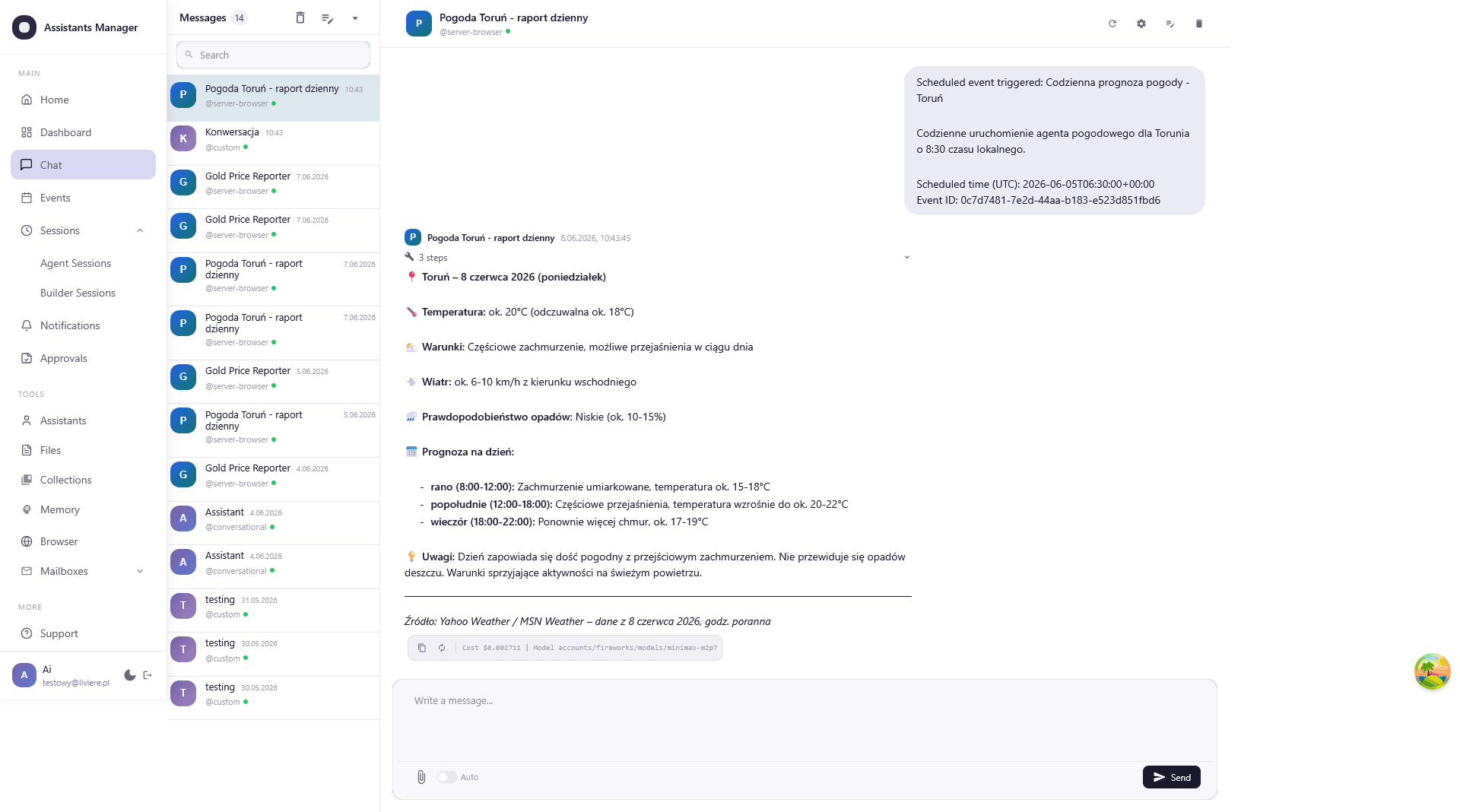
You always know what the assistant is doing. The AI proposes, the human approves. With email, you can even edit the content before it's sent.
Security (HITL)
Sessions in isolated profiles, full ClamAV scanning of every uploaded file. Critical actions only with your permission.
Choice of AI model
GPT-4, Claude 3, Gemini, or open-source models. Match the engine to the task's complexity and to cost optimization.
Transparent costs. No surprises.
Don't guess how much you'll pay at the end of the month. We use a credit model with a hard spending limit.
Credit model
You pay only for what the assistant actually does. The cost of each task depends on the chosen model (e.g. GPT-4 vs. open-source).
- See the cost of every response right in the chat
- Room to optimize: use cheaper models for simple tasks
- Full cost history in the dashboard
Monthly limit
You set the maximum amount. The system blocks tasks before the limit is exceeded.
- A guarantee of no unexpected invoices
- Budget management for the whole team
- Flexible top-ups
Frequently asked questions
Time to hire your first assistant.
Automate repetitive work across email, the web, and files. Describe the process in words. The AI Builder handles the rest.
Build your assistant